Apple releases iOS 26.5 Beta 2 confirming new features for Maps while fixing Messages bug
The release of iOS 26.5 Beta 2 continues to add nothing new to Siri.
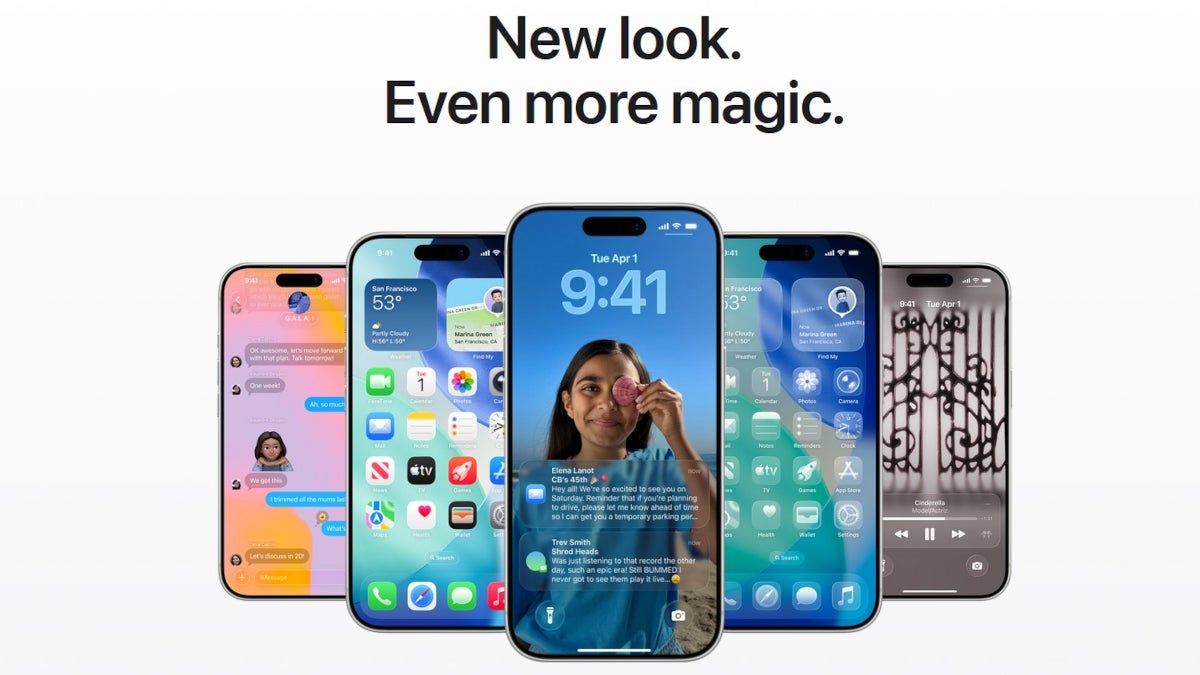
Apple releases iOS 26.5 Beta 2. | Image by PhoneArena
"Time keeps on ticking, into the future," sang the Steve Miller Band in their 1976 hit "Fly Like an Eagle." Have there ever been any song lyrics that were more truthful and honest?
With each second of each day taking us closer and closer to June 8, the day when WWDC 2026 kicks off, some iPhone users are getting excited. Traditionally, the last words of the Keynote are still reverberating through the speakers at the venue when Apple presses the "Go" button to disseminate the first iOS 27 Beta release to developers.
We are getting closer each day to the release of Siri 2.0
This year, iPhone users might be more pumped waiting for the next iOS build than in other years. That's because we expect to see Apple introduce Siri 2.0 with iOS 27.
This morning, Apple took iPhone users a little closer to the iOS 27 Beta 1 release by pushing out iOS 26.5 Beta 2. The original hope was that Apple would release some Siri 2.0 features with iOS 26.5 and complete the "brain transplant" by turning Siri into a chatbot with the release of iOS 27.
Apple Maps "Suggested Places" sticks around in the new Beta release
Some features released with iOS 26.5 Beta 1 are still hanging around with today's release of Beta 2. A new feature was added to Apple Maps with the first iOS 26.5 Beta. When you feel like you need to drive somewhere but don't know where to go, if you tap on Maps' Search bar, you will see "Suggested Places."

Suggested Places on Apple Maps shows you what is trending nearby. | Image by PhoneArena
Eventually, the recommended places will include sponsored locations. But according to Apple, the recommendations are based on what is trending nearby and your recent searches. Apple will show two Suggested Places and when you tap on one, you will receive the directions telling you how to get there.
Popup notification reminds us of Apple's decision to add advertisements to the Maps app
Speaking of Apple Maps, as we've been telling you, Apple is going to show advertisements to users of its Maps app. This plan was drummed home officially by Apple today with a Popup that appears the first time you open the Maps app after installing iOS 26.5 Beta 2.
The notification reminds Maps users that the ads they see are based on their approximate location, the terms of their current search, or what they are viewing on the Maps app while they search. The latter is interesting because it requires that the iPhone understand what places you are viewing on Maps during your search. This sounds a little like the Siri 2.0 feature that allows Siri to understand the context of what you're viewing on your iPhone screen.

Screenshot shows Apple's Popup notification about ads coming to the Maps app. | Image by PhoneArena
In some ways, this is exciting since it might be an indication that perhaps Siri 2.0 will not face any more delays. Thanks to a deal with Google rumored to cost Apple $1 billion annually, Siri will be powered by a custom 1.2 trillion parameter artificial intelligence version of Google's Gemini Large Language Model (LLM). This is much larger than the current version used by Siri.
How to install today's Beta release on your iPhone
The immediate impact will be a smarter Siri which a huge amount of knowledge regarding an incredible breadth of subject matters. Today's iOS 26.5 Beta 2 release also includes some refinements to the RCS end-to-end encryption (E2EE) feature, which allows only the sender of a message and its recipient to read the message. There were some bugs found in the initial version released in Beta 1.
Apple iPhone users: Do you use Apple Maps or Google Maps?
Returning to the Apple Maps ads, the Popup notification that appears when first using Apple Maps in iOS 26.5 Beta 2 is clear about how Apple will handle security issues with the personal data that will be used to surface Suggested Places."For your privacy, advertising information is not linked to your Apple Account," says the tech giant.
To install the new Beta 2 update of iOS 26.5, from your iPhone go to Settings > General > Software Update and follow the directions. Remember, you have to be subscribed to the Apple Beta Software Program in order to receive Beta versions of upcoming Apple iOS releases.

Follow us on Google News

Popular stories

![T-Mobile customers get confirmations for account activity they didn't authorize [UPDATED]](https://m-cdn.phonearena.com/images/article/179616-wide-two_350/T-Mobile-customers-get-confirmations-for-account-activity-they-didnt-authorize-UPDATED.webp)
Latest News


Things that are NOT allowed:
To help keep our community safe and free from spam, we apply temporary limits to newly created accounts: