Samsung Gear Live Review

Introduction
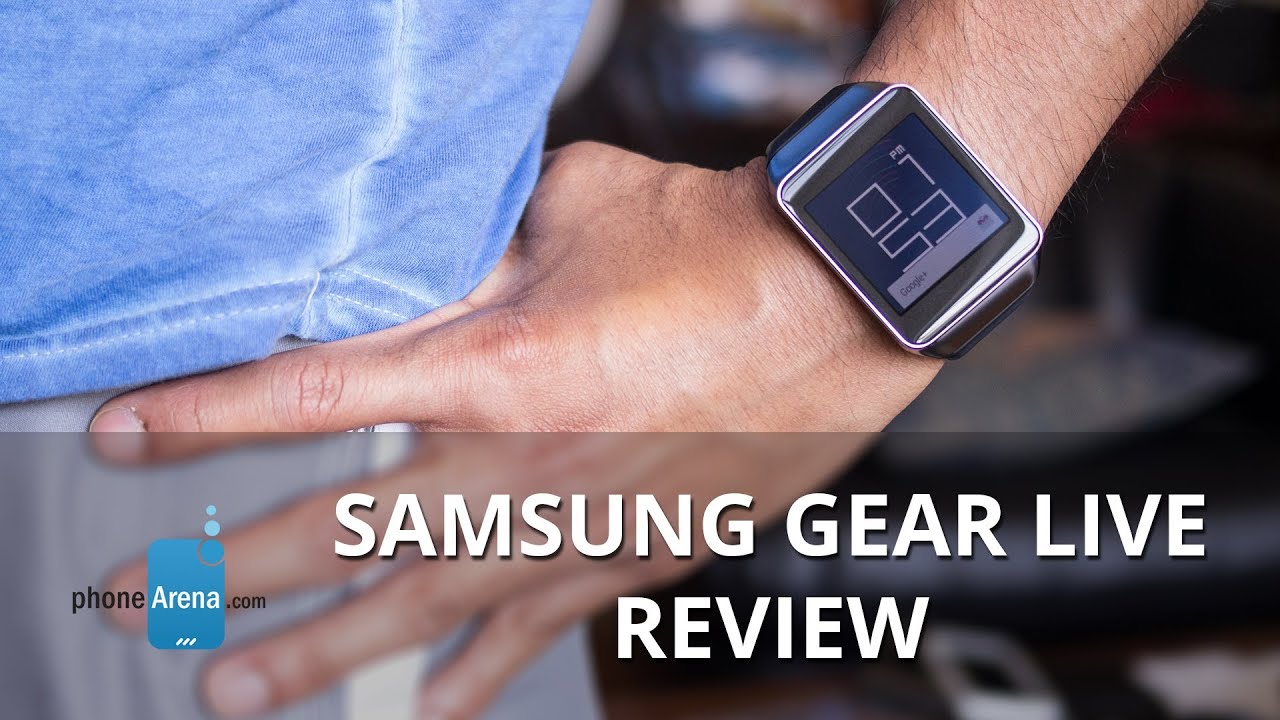
If there’s one company ahead of the game when it comes to smartwatches, it has to be none other than Samsung. They’ve already introduced and released the 2nd generation line of smartwatches this year already - the Tizen powered Gear line, which was an unexpected change of scenery because the first-generation Galaxy Gear smartwatch was Android-based. Well folks, the Samsung Gear Live is aiming to shine some light onto Google’s new Android Wear platform.
The package contains:
- microUSB wall charger
- proprietary charging cradle
- Quick reference manual
- Health & safety and warranty guide
Design
Using the same recipe, the Samsung Gear Live lives up to being a sophisticated looking timepiece.
Upon looking at the Samsung Gear Live for the first time, there’s no arguing that Samsung doesn’t stray from the recipe it has when it comes down to designing smartwatches. In fact, the Gear Live looks eerily similar to the Gear 2. From its overall shape, choice of materials, and comfort, it mirrors exactly Samsung’s previous effort. Of course, it’s not a bad thing per se, as the watch boasts a moderate level of sophistication – one that elevates its charm well over the other Android Wear smartwatch, the LG G Watch.
In making for a minimalist design, Samsung places only a single button on the right side of the Gear Live – where the small notch for the microphone also sits nearby. Essentially, its sole function is to “turn on” the display, which is none other than waking it up from its “dimmed” status. Rounding things out, the underside of the Gear Live features the same heart rate sensor, and gold colored pins used to charge the watch with the included snap-on proprietary charging cradle. Unfortunately, the microUSB port has yet to be somehow incorporated into the body of the watch.
Display
Sharp, vivid, and iridescent, the 1.63-inch Super AMOLED display is a highlighting element of the watch.
Not surprisingly, the Samsung Gear Live is packing a 1.63-inch 320 x 320 Super AMOLED display, just like the Gear 2. Ultimately, there’s nothing really new here in this department – it has an overall sharp and detailed look. In the dark, it emits an iridescent glow that makes it come to life for all to see and drool over. Pairing that with its saturated color reproduction, it’s the right combination to draw bystanders into its mesmerizing glow.
Interface and Functionality
It’s like they took Google Now for Android smartphones, but packaged it to fit on our wrist. It’s a good start, but it lacks depth to make it functional.
Samsung said goodbye to Google’s Android when they released the 2nd generation line of Gear smartwatches, but that didn’t mean Android was totally out of the equation for good. During the most recent Google I/O, Android Wear was ceremoniously unveiled and previewed – where it’s anticipated to be the dominant force in the wearable space. Obviously, there’s a lot in stake here, as we have yet to have a single platform that has proven to be versatile and encompassing to be worthy of consumer demands. Knowing that Google is taking the helm here with Android Wear, it’s almost certain to see the same meticulous direction we’ve seen with its smartphone OS.
Notifications
At the core of it, we feel as though Android Wear is nothing more than Google Now on your wrist – so it acts as a hub for various notifications. From the usual weather related and traffic cards we already see with Google Now for smartphones, it doesn’t really sway too much from what we’ve been exposed to with Google’s self-aware service. Indeed, it’s a more discrete way of viewing notifications, but that’s basically the extent of its functionality, seeing that anything more generally requires us to “open on phone”.
Okay Google
Come to think of it, this feature is without question one of the platform’s most essential and useful things. No longer do we need to use our phones to access some of these functions, as Google Wear is a presentable alternative that gets the job done in an equally similar fashion.
Google Fit
Cashing on the whole wearable fitness craze, Google has incorporated its own health-wellness service into the Google Wear platform. Regrettably, though, its infancy is really showing at the onset, as the app lacks meaningful data to make us want to strive to do better in our routine. Instead, the service allows the watch to track how many steps we take throughout the course of a day – where it breaks down into a graph view.
Heart Rate Monitor
One key feature of the Galaxy Gear is its built-in heart rate sensor, which is one feature more than the LG G Watch. As we’ve come to learn, this addition does nothing more than to add to the watch’s geek cred. Yeah, it’s nice to have the ability to measure and track our heart rate over a period of time, but again, the data doesn’t do anything to motivate us. In addition, the data it accumulates is only beneficial if you’re measuring under the same conditions, each and every time – like when you’re at rest. We won’t deny that we appreciate the added feature, but until it’s able to track our heart rate on a real-time basis, such like when we’re running, it’s hardly something we find worth using on a daily basis.
Other Apps
Being powered by Google Now, Google Wear offers us access to several things we’re familiar experiencing with the service on a smartphone. For example, we can receive driving directions, weather information, reminders, and even our flight boarding pass – all through the smartwatch! We can even preview most of our emails directly through the smartwatch, instead of our phone. Needless to say, it’s wonderful that we have this discrete way of previewing them, which is what we’d want to have in a smartwatch platform. However, for those hoping to get more work done, advanced functions are accessed via the smartphone.
Processor and Memory
There’s barely any hint of stutter or lag in this.
Powered by a 1.2GHz Qualcomm Snapdragon 400 processor with 512MB of RAM, the Samsung Gear Live remains responsive with its performance. The more we think about it, we have yet to come across an instance where its performance stutters. All of this top-notch performance helps to deliver an intuitive experience!
Even though it’s stuffed with 4GB of internal storage, it doesn’t really have any bearing on us because it’s not something we can access upfront. Instead, it’s basically used by the platform to store various data and system updates, as well as third party apps.
Connectivity
Relying on Bluetooth 4.0 LE connectivity to interact with an Android powered smartphone (an HTC One M8 in our case), the Samsung Galaxy Gear is able to establish the connection for approximately 25 feet indoors. In order to initially pair it, we’re required to download the Android Wear app from the Google Play Store, which does nothing more than initializing the connection and being a hub to browse for certain compatible Android Wear apps.
Multimedia
Okay, so the only multimedia function that we have access to on the watch is controlling music – and that’s all folks! After selecting a song to play, whether through Android Wear’s “okay Google” function, or merely selecting it through our connected smartphone, the smartwatch is transformed into nothing more than a controller. Not only do we have access to the pause/play function directly from the card, but swiping over gives us forward and reverse functions as well. And that, folks, pretty much sums up the extent of its multimedia offering at the moment.
Call Quality
When an incoming call is being received, we’re given the choice of accepting or rejecting it. Now, seeing that the Samsung Gear Live doesn’t feature its own built-in speaker, we’re left to using our connected smartphone for all of our chatting. One would think that the smartwatch’s microphone could be used for the occasion, but it’s not.
Battery
It’s a battery hog, as we’re given at the most a day of usage.
Right from the onset, one of our primary concerns about this “always-on” smartwatch is that the display is constantly active – therefore, consuming more battery in the process. Unfortunately, the Gear Live’s 300 mAh battery is only enough to get us through a single day of normal usage. In some instances, we found it being less due to our constant interaction. Also, the fact that it has a proprietary cradle for charging, it means that it’ll be tougher finding a replacement right away in the event it’s misplaced.
Conclusion
So unless you’re really adamant on having a companion to your Android device that’ll sit on your wrist in the near term, we suggest waiting until the platform receives a good dose of work to give us an all-encompassing experience. If not, you won’t be too upset with Sammy’s work – that’s if you’re jittery and want to be an early adopter.
Software version of the review unit:
Software Version: 4.4W
Build Number: KMV78V

Follow us on Google News





Things that are NOT allowed:
To help keep our community safe and free from spam, we apply temporary limits to newly created accounts: